Whitelist our new domain

Effective December 28th, 2022 the following email domains will be updated to caisoft.com. Your account manager will still be able to receive emails at their current email address. However, please whitelist the new domain in your email platform to ensure you’ll still receive email communications from CAI.
- Caiservice.com
- Foodconnex.com
- Multiprocess.com
- Radley.com
- Robocom.com
- Shopvue.com
- Xtuple.com
About The Author

Cloud Accounting Software: Top Questions Every CFO Should Ask
Cloud accounting software has emerged as a vital tool for modern businesses seeking efficiency and scalability in their financial operations. In this post, we will dive into what cloud accounting software is, its advantages, and help answer common questions about the best options on the market.
What is Cloud Accounting Software?
Cloud accounting software is a digital solution hosted on remote servers, allowing businesses to manage their financial data through the internet. Unlike traditional, on-premise software, cloud accounting provides real-time access to financial information from any device with internet connectivity. This enables companies to handle everything from bookkeeping and invoicing to payroll and financial reporting without relying on physical infrastructure.
What are the Advantages or Benefits of Cloud Accounting?
- Accessibility: Cloud accounting allows teams to access financial data from anywhere in the world. This level of accessibility is crucial for remote teams and businesses that need real-time updates.
- Cost-Effectiveness: Businesses save on hardware costs and IT maintenance since data is stored in the cloud. Software updates are handled automatically, reducing the need for manual updates and system overhauls.
- Data Security: Cloud providers offer high levels of security, including encryption, backups, and disaster recovery plans, which often surpass the measures that smaller businesses can afford to implement on their own.
- Scalability: As businesses grow, cloud accounting software can easily scale to accommodate the increasing complexity of their operations.
- Automation: Many cloud accounting solutions include features that automate tasks like invoicing, payroll, and tax calculations, reducing the risk of human error and saving time.
Key Questions to Ask About Cloud-Based Accounting Software
1. How is your data protected?
When it comes to securing your data, it is important to be proactive rather than reactive. This means that when you are transitioning over to a cloud management software, it is vital that you understand what sort of layers of data-protection are build into the system. Having an understanding of what sort of security is included, what advanced options could potentially exist, and how often your data is backed up are all key factors that should play a part in your decision making. Some services may offer enhanced security for an additional cost, and it is important to understand how this factors into your decision making when it comes to cloud-storage.
2. Will service be interrupted in the event of a billing dispute?
When it comes to securing your data, you must be sure to cover all your bases. That often means planning for situations that may arise outside of your control or expectations. In most cases, you should expect to have a simple failsafe solution for unforeseen circumstances where you will still be able to access and download your data, even if an invoice accidentally goes unpaid or a billing error occurs. While this is usually the case, it is important to ask these questions when transitioning to a cloud-based solution so that you don’t encounter unforeseen challenges or roadblocks in the future.
3. Can data be removed, if you choose to stop service?
It is important to know what steps will need to be taken if you choose to stop using the software. Whether you decide to move to another system, transition back to an on premise server, or run into issues with your data, you should be confident in the knowledge that your data will still be stored. When making the switch to cloud-based storage, you should gain an understanding on how you can move your data, if it will still be available for exporting, or if you will be able to access historical data in the future. This will allow you to make informed decisions when it comes to transitioning and migrating your data in the future.
4. Is your internet connection sound?
When it comes to the cloud, the reliability and capability of your internet connection is vital to ensuring that you can access your data when and where you need it. If you are transitioning to cloud storage for the first time, this may require an increased bandwidth or additional internet services to ensure that your applications are accessible and working at the desired speed. An internet connection that doesn’t meet this requirements will result in slower load times and potential crashes. Addressing this in advance will alleviate potential issues when you are relying on your data access.
5. Do you maintain ownership and control of all data?
While this may seem like a given, it never hurts to ask questions beyond just the security of your data when it comes to cloud storage. You’ve worked hard to gather your data and maintaining ownership of that data is vital to maintaining a competitive edge. If you come across a deal on storage that seems outside of the norm or even too good to be true, it may come at the expense of maintaining complete control over your data. This is something that can be addressed easily early on as long as you are proactive in asking the key questions.
Which is the Best Cloud Accounting Software for Your Business?
When it comes to choosing the best cloud accounting software, there is no one-size-fits-all solution. The right platform will depend on factors like your business size, industry, and specific accounting needs. Below are key considerations to help you identify the most suitable option for your company.
What is the best cloud accounting software?
Choosing the best cloud accounting software depends on the specific needs of your business. However, some important considerations include ease of use, integration capabilities, security features, and scalability.
What is the best cloud accounting software for small businesses?
Small businesses often prioritize affordability and ease of use. Many solutions offer starter plans tailored to small businesses, enabling them to grow as their needs evolve.
Is there free cloud accounting software?
Yes, some providers offer free versions of cloud accounting software, typically with limited features or user access. These options can be a good starting point for very small businesses or startups with simple accounting needs.
What is the best cloud accounting software for large businesses?
Large businesses require more advanced features, such as multi-currency support, comprehensive reporting, and integration with other enterprise systems. The ideal solution for large businesses should offer robust scalability and security.
What is the best cloud accounting software for service-based businesses?
Service businesses benefit from solutions that streamline client invoicing, manage recurring payments, and track project-based expenses. Solutions with advanced time-tracking and billing features may be ideal for these types of businesses.
By asking these critical questions and evaluating the features and advantages of cloud accounting software, CFOs can make informed decisions that support their company’s growth and financial health.
Have questions about business management software in the cloud? Contact CAI Software for more information on business systems, cloud software, and managing your data.

Why Growing Businesses Need Multi-User Business Management Software: The ERP Advantage
Growth is exciting—but it’s also challenging.
As companies expand, they welcome more customers, introduce innovative products, and bring new team members on board. However, this growth often leads to technological hurdles that can seem daunting. That’s where business management software, particularly enterprise resource planning (ERP) systems with multi-user functionality, comes into play.
Let’s explore why these solutions are essential for growing businesses and how they can help you thrive.
The Joys & Challenges of Business Growth
For many entrepreneurs, the journey starts with a burst of inspiration and a passion for making a difference. You believe in your vision and are ready to share it with the world. Initially, you might rely on simple tools like spreadsheets or basic software, such as QuickBooks, to manage your operations. But as your business flourishes, these tools may no longer meet your needs.
As your customer base grows and your team expands, you may find yourself facing new challenges.
Data Overload
More customers mean more data—sales figures, customer interactions, and inventory levels. Without a cohesive system, managing this information can quickly become overwhelming.
Communication Gaps
A larger team often leads to increased complexity in communication. If everyone isn’t on the same page, important information can get lost in the shuffle.
Inconsistent Processes
As you add team members, maintaining consistency in workflows can become tricky. Without standardized processes, projects may become disorganized, leading to errors and inefficiencies.
User Access Issues
If the software and digital tools you use to manage business processes aren’t built for multiple users, you’ll soon find that not everyone has the access they need to complete their work.
Why QuickBooks Isn’t Enough
Many startups start with QuickBooks for accounting and basic management. It’s user-friendly and cost-effective—perfect for small operations.
However, as your business grows, you’ll likely see signs that QuickBooks is falling short in a few key areas:
- Limited multi-user access: While QuickBooks offers some multi-user functionality, it can be cumbersome. It often doesn’t allow for seamless collaboration among your growing team.
- Siloed data: Important information is often stored in separate areas, making it challenging for employees from different departments to access what they need. This fragmentation can hinder effective decision-making.
- Manual processes: QuickBooks still relies on manual entry for many tasks, increasing the risk of errors and adding to your team’s workload.
What you need is dedicated business management software that offers a true multi-user environment—fostering collaboration and empowering your team to work together efficiently.
The Power of Automation & Collaboration
As your business expands, automating processes becomes essential. A robust business management solution streamlines workflows, minimizes manual errors, and boosts productivity.
Why Automation Matters
The right system should not only automate tasks but also encourage collaboration across departments.
Here’s a glimpse at the power of automation for growing businesses:
- Boosts efficiency: Automating repetitive tasks allows your team to focus on strategic initiatives that drive growth, which not only enhances productivity but also keeps your employees engaged and motivated.
- Reduces errors: Manual data entry can lead to mistakes. Automation minimizes these risks, ensuring that your operations run smoothly and accurately.
- Adapts as you grow: Automated systems can scale with your business, accommodating increasing workloads without requiring a proportional increase in resources.
Business management software with advanced automation capabilities ensures your team members can spend their valuable time on what matters most: growing your business.
The Importance of Collaboration
Effective collaboration is vital for success. In a growing organization, different departments—like sales, finance, and operations—need to work together seamlessly. Fostering a collaborative environment encourages innovation and problem-solving, ultimately leading to better results.
ERP: Your Multi-User Solution
Enterprise resource planning systems are designed to meet the unique needs of growing businesses. These systems integrate various functions—such as accounting, inventory management, sales, and human resources—into one comprehensive platform.
In simple terms, ERP is a powerful tool that integrates all facets of your business into one cohesive system. Its key function is to streamline processes, allowing your organization to operate more effectively and efficiently.
4 Key Features of ERP Systems
ERP systems provide a wealth of features that support collaboration and automation.
1. Centralized Data Management
With a single source of truth, all departments can access accurate, real-time data, making informed decision-making easier.
2. Streamlined Workflows
ERP systems automate cross-departmental processes, allowing your team to focus on strategic goals and reducing bottlenecks.
3. Collaboration Tools
Features like document sharing and messaging enable real-time communication, helping your team work together regardless of their physical location.
4. Powerful Reporting & Analytics
ERP systems offer insightful reporting and analytics, giving you a deeper understanding of your operations and enabling data-driven decisions.
Real-World Applications of ERP
Imagine a retail company expanding from a single storefront to multiple locations. An ERP can completely transform how this company approaches everyday processes and long-term goals.
Manage Inventory Effortlessly
Real-time inventory tracking ensures that stock levels are updated instantly, enhancing demand forecasting and reducing the risk of stockouts.
Simplify Financial Operations
Integrated accounting functions mean that financial reports can be generated quickly, providing valuable insights into profitability and cash flow.
Enhance Customer Experiences
A centralized customer database allows sales and customer service teams to access complete profiles, leading to improved service and stronger relationships.
Choosing the Right ERP Solution: 4 Things for Expanding Businesses to Consider
When it comes to selecting an ERP solution, prioritize those that emphasize multi-user functionality. Look for software that allows customizable user roles and permissions, ensuring that every team member has the access they need to contribute effectively.
1. Scalability
Choose a system that can grow alongside your business, offering features that can be added as your needs evolve.
2. User-Friendly Interface
An intuitive interface enhances user adoption, making it easier for your team to engage with the new system.
3. Integration Capabilities
Ensure the ERP solution can seamlessly integrate with your existing tools and platforms. This integration capability streamlines operations and facilitates data flow.
4. Support & Training
Strong customer support and comprehensive training resources are essential for a smooth transition to an ERP system. Find an ERP vendor with a good reputation in your industry.
5 Tips for Supporting a Growing Team with ERP Solutions
To fully harness the power of ERP, businesses should foster a culture of collaboration and transparency.
Here are some strategies to consider.
1. Define Roles & Responsibilities
Clearly outlining who is responsible for specific tasks can prevent overlap and ensure accountability.
2. Encourage Cross-Department Collaboration
Facilitate regular check-ins and discussions between teams to align priorities and goals. Utilize project management tools within the ERP system to track progress.
3. Invest in Training
Equip your employees with the resources they need to maximize the ERP system’s capabilities. Consider workshops, tutorials, and hands-on training sessions.
4. Gather Feedback
Encourage team members to share their experiences with the ERP system. Understanding their perspectives can help identify areas for improvement.
5. Build a Collaborative Culture
Encourage your teams to share successes and challenges and celebrate milestones together. This sense of community can enhance morale and motivate your team to achieve even greater results.
The Impact of ERP Systems on Business Growth: Scaling Your Business with ERP
As your business grows, managing operations can become more complex. ERP solutions scale alongside your organization, adapting to new models and functionalities without sacrificing efficiency. They empower you to manage increased volumes of data and interactions with ease.
Additionally, ERP systems significantly improve collaboration by breaking down silos and enabling cross-functional teamwork. With a centralized platform, stakeholders from various departments can access and share data, enhancing communication and efficiency.
Manage Your Growing Team with ERP Solutions from CAI Software
In a world where collaboration, automation, and real-time communication are essential, growing businesses need to adopt technology that supports these needs. ERP systems not only facilitate multi-user functionality but also ensure organizations thrive in a competitive market.
With ERP, you can ensure that your growing team is well-equipped to tackle the challenges ahead while maintaining a strong focus on profitability and customer satisfaction.
And by investing in the right technology, you’re setting your business up for sustained success.
At CAI, we create innovative, production-oriented software to help our customers across a variety of industries streamline business processes and optimize their manufacturing, processing, or distribution environment. Our goal is to provide you with industry-leading solutions that improve your business operations, all with excellent service and support.
Whether you are looking to automate production, increase your return on investment, reduce costs, or streamline operations, we can help. With our suite of ERP systems and access to our expert team, optimizing your business processes is easier than ever.
Contact us today for a free consultation.

Unlocking Growth for Manufacturing Companies: The Power of E-Commerce & ERP Integration
Small to medium-sized manufacturers are truly the backbone of the American economy. You drive innovation, create jobs, and contribute to vibrant local communities. Yet, in a world increasingly dominated by larger competitors, the need to adapt and embrace change is more pressing than ever. With the surge of e-commerce, having robust online sales capabilities isn’t just a nice-to-have—it’s essential for thriving in today’s marketplace.
To help level the playing field, many small and medium-sized enterprises (SMEs) are turning to enterprise resource planning (ERP) software that integrates seamlessly with e-commerce. This combination not only streamlines operations but also empowers these businesses to excel in the digital landscape, enhancing their competitiveness and overall efficiency.
The Power of E-Commerce for SMEs: 5 Benefits of E-Commerce for Manufacturing Companies
E-commerce offers incredible opportunities for small and medium-sized enterprises to scale and grow. It removes geographical barriers, allowing you to reach customers around the globe and significantly expand your customer base. Additionally, online platforms revolutionize supply chain management, replacing outdated manual processes with automated systems.
This transformation boosts efficiency, reduces costs, and enhances customer service—key factors for growth in the manufacturing industry.
Let’s examine some of the benefits of manufacturing SMEs embracing e-commerce software.
1. Global Reach
E-commerce enables you to market your products to a worldwide audience. Even as a small manufacturer, you can connect with customers far beyond your local area. And the ability to expand into international markets is particularly beneficial for niche products that may have a dedicated following abroad.
2. Enhanced Supply Chain Management
Online e-commerce platforms allow you to automate and optimize your supply chain, replacing outdated manual processes. By leveraging technology, you can reduce lead times, improve accuracy in order fulfillment, and better manage supplier relationships, saving time while also improving the overall customer experience—key ingredients for growth!
3. Scalability
E-commerce platforms are designed to grow with your business. As your customer base expands or you introduce new products, your online system can easily adapt to these changes without a hefty investment in additional resources.
4. Data-Driven Insights
Integrating e-commerce with ERP systems gives you valuable data to guide your business decisions and drive strategic growth. Understanding customer preferences and market trends can help you tailor your offerings and stay ahead of the competition.
5. Cost Reduction
By selling online, you can significantly cut overhead costs associated with traditional retail, allowing you to invest more in innovation and growth. For example, e-commerce systems help businesses operate with lower physical infrastructure costs, and automated systems help minimize labor expenses related to order processing and inventory management.
Challenges in Adopting E-Commerce Solutions: 3 Things to Look Out For
Transitioning to e-commerce does come with challenges. You might face technical barriers or need to manage change within your team. But don’t worry—with the right approach, these hurdles can be overcome.
1. Technical Barriers
Many manufacturing SMEs lack the technical experience to implement e-commerce solutions effectively, leading to a reliance on external consultants and increasing overall costs.
However, while you might feel daunted by the technology, many platforms are user-friendly and come with excellent support resources.
2. Change Management
Employees accustomed to traditional ways of doing business may resist the shift to digital operations.
Having effective training and change management processes in place are important for a smooth transition. Encouraging a culture of learning and adaptation among your employees can foster enthusiasm for the changes ahead.
3. Investment in Technology
The initial investment in e-commerce platforms and the necessary infrastructure can be daunting for some companies. But while the initial costs may seem high, the long-term benefits often outweigh these upfront investments.
Think of it as planting seeds for future growth.
The Role of ERP in Manufacturing
An effective ERP system can truly be a game changer for SMEs in manufacturing. This type of software centralizes your operations, from accounting to inventory management, and aligns them with your e-commerce efforts.
Here are just a few of the ways that an ERP system can impact your manufacturing operation.
Increased Efficiency
By automating routine tasks, ERP systems minimize manual data entry errors and enhance overall productivity. This increased efficiency is particularly important for manufacturers, where precision and accuracy can significantly impact operational costs and customer satisfaction.
Automating routine tasks means your team can focus on what truly matters—driving growth and innovation.
Enhanced Data Accuracy
Real-time synchronization between e-commerce and ERP systems ensures that all data—whether it’s inventory levels, customer orders, or financial records—is up-to-date and accurate, helping you make informed decisions and reducing the risk of discrepancies that can lead to costly errors.
Cost Management
ERP systems help manufacturing SMEs manage their financial operations more effectively, providing insights that lead to better budgeting and resource allocation. With a clear view of your finances, you can optimize your budget and resources, allowing for smarter investments in your business.
Improved Compliance
With integrated systems, manufacturers can maintain compliance with industry regulations and standards more easily. ERP solutions often include tools to help manage reporting and ensure that all operations meet regulatory requirements.
By simplifying the process of maintaining compliance with industry regulations, an ERP system gives you peace of mind and allows you to focus on your core business.
E-Commerce & ERP: A Seamless Fit
Integrating e-commerce and ERP systems is a powerful strategy for manufacturing operations. When these platforms communicate with each other, businesses can automate order processing, manage inventory in real time, and streamline shipping and billing processes. This seamless flow of information not only reduces errors but also accelerates response times to customer inquiries and order fulfillment.
In other words, when e-commerce and ERP systems work together, you can serve your customers better.
Let’s consider what practical benefits your manufacturing company can expect from ERP and e-commerce integration.
Improved Customer Satisfaction
Customers appreciate timely updates about their orders and reliable delivery times. By automating and streamlining order updates and delivery tracking, you enhance the customer experience, leading to loyalty and repeat business.
Enhanced Inventory Management
Effective inventory management is essential in manufacturing, where materials must be available without overcommitting capital to stock. With real-time visibility into inventory levels, you can prevent stockouts and overstock situations, optimizing your resources and minimizing costs.
Better Financial Management
ERP systems consolidate data for financial reporting, offering a comprehensive view of a company’s financial health. With this insight, you can identify growth opportunities, streamline expenditures, and manage cash flow effectively.
Scalability
Integrated systems can handle increased order volumes without straining your resources, allowing you to grow your business with confidence. This scalability is particularly important for manufacturing SMEs that are looking to introduce new product lines or expand into different markets.
Cost Savings
Automating processes through ERP and e-commerce integration reduces the time and labor associated with manual tasks, freeing up your team to focus on higher-value activities. Additionally, a unified system lowers IT infrastructure and maintenance costs, which can be significant for smaller organizations.
How to Implement E-Commerce & ERP Integration: 5 Practical Steps for Manufacturing Companies
Integrating ERP and e-commerce systems can be a transformative experience for your manufacturing business. To set yourself up for success, it’s important to follow a structured approach that not only streamlines the integration process but also empowers your team along the way.
Here are some practical steps to guide you through this transition and ensure you maximize the benefits of integration to position your business for sustainable growth.
1. Assess Current Operations
Before implementing new systems, you need to start with a clear understanding of your existing processes. Conduct a thorough assessment and identify areas where automation can enhance efficiency and effectiveness.
2. Choose the Right ERP & E-Commerce Platforms
Research and select ERP and e-commerce solutions that align with your business needs. Look for providers that offer robust integration capabilities, user-friendly interfaces, and solid customer support.
3. Develop a Clear Strategy
Create a plan for implementation, outlining timelines, budgets, and training needs. Involve stakeholders from various departments to ensure alignment and support.
4. Invest in Training
Equip your team with the knowledge they need to thrive with new systems. Provide comprehensive training for your staff to help them adapt to the new systems, including workshops, online resources, and ongoing support to address questions and challenges. Offering this type of training and support fosters confidence and engagement, resulting in increased productivity and employee satisfaction.
5. Monitor & Optimize
After implementation, keep an eye on performance and gather feedback. Use insights to continuously optimize processes, troubleshoot issues, and ensure that your systems are meeting business goals.
8 Tips for Successful ERP & E-Commerce Integration
Integrating ERP with e-commerce can seem daunting, but with the right approach, it can be a smooth and rewarding experience. Use these tips to guide you through the process and take the next step toward a more efficient, customer-centric, and successful future for your manufacturing business.
You’ve got this!
1. Start with a Clear Vision
Before diving into integration, take a moment to reflect on your goals. What do you hope to achieve by merging your ERP and e-commerce systems? Whether it’s improving order accuracy, enhancing customer experience, or streamlining inventory management, having a clear vision will guide your decisions and keep your team aligned.
2. Choose the Right Partners
Selecting the right ERP and e-commerce platforms is essential. Look for solutions that not only meet your business needs but also offer seamless integration capabilities. Don’t hesitate to seek recommendations and read reviews. Your vendors should feel like an extension of your team, supporting you every step of the way.
3. Engage Your Team Early
Involve your team from the very beginning. Gather insights from different departments—sales, shipping, finance—to understand their pain points and how integration can help. When your team feels included in the process, they’re more likely to embrace the changes and contribute to a successful implementation.
4. Plan for Training & Support
Investing in training is key to ensuring a smooth transition. Create a robust training plan that empowers your team to feel confident using the new systems. Ongoing support is equally important; consider setting up a help desk or regular check-ins to address any questions that arise.
5. Take It Step by Step
Don’t rush the process! Start with the most critical integrations that will provide immediate value, and gradually expand as your team becomes more comfortable. This phased approach helps minimize disruptions and allows you to celebrate small victories along the way.
6. Monitor Performance & Gather Feedback
Once your systems are integrated, keep an eye on performance. Are you seeing the improvements you hoped for? Regularly gather feedback from your team and customers to identify areas for further enhancement and address key challenges. Continuous improvement will ensure your systems grow alongside your business.
7. Stay Flexible & Adaptable
The digital landscape is always changing, and so are your business needs. Be open to adjusting your integration strategy as necessary. Embrace new technologies and innovations that can further streamline your operations and enhance customer satisfaction.
8. Celebrate Your Successes
Finally, take the time to celebrate your achievements—big and small! Recognizing milestones not only boosts morale but also reinforces the positive impact of your integration efforts. Share success stories with your team to inspire continued growth and motivation.
Begin Your E-Commerce ERP Integration Journey at CAI Software
In today’s market, small and medium-sized manufacturing enterprises cannot afford to overlook the incredible power of e-commerce and ERP integration. By embracing these technologies, you can enhance your operational efficiency, improve customer satisfaction, and unlock sustainable growth.
With our ERP solutions by your side, you have the tools to not only compete but to truly thrive in the world of e-commerce.
At CAI Software, we have designed the xTuple ERP to meet the unique needs of manufacturing SMEs. With the ability to seamlessly integrate with e-commerce platforms and comprehensive visibility into all business processes, you have everything you need to succeed right at your fingertips.
Contact us today to learn more about how our ERP solutions can help you achieve your business goals.
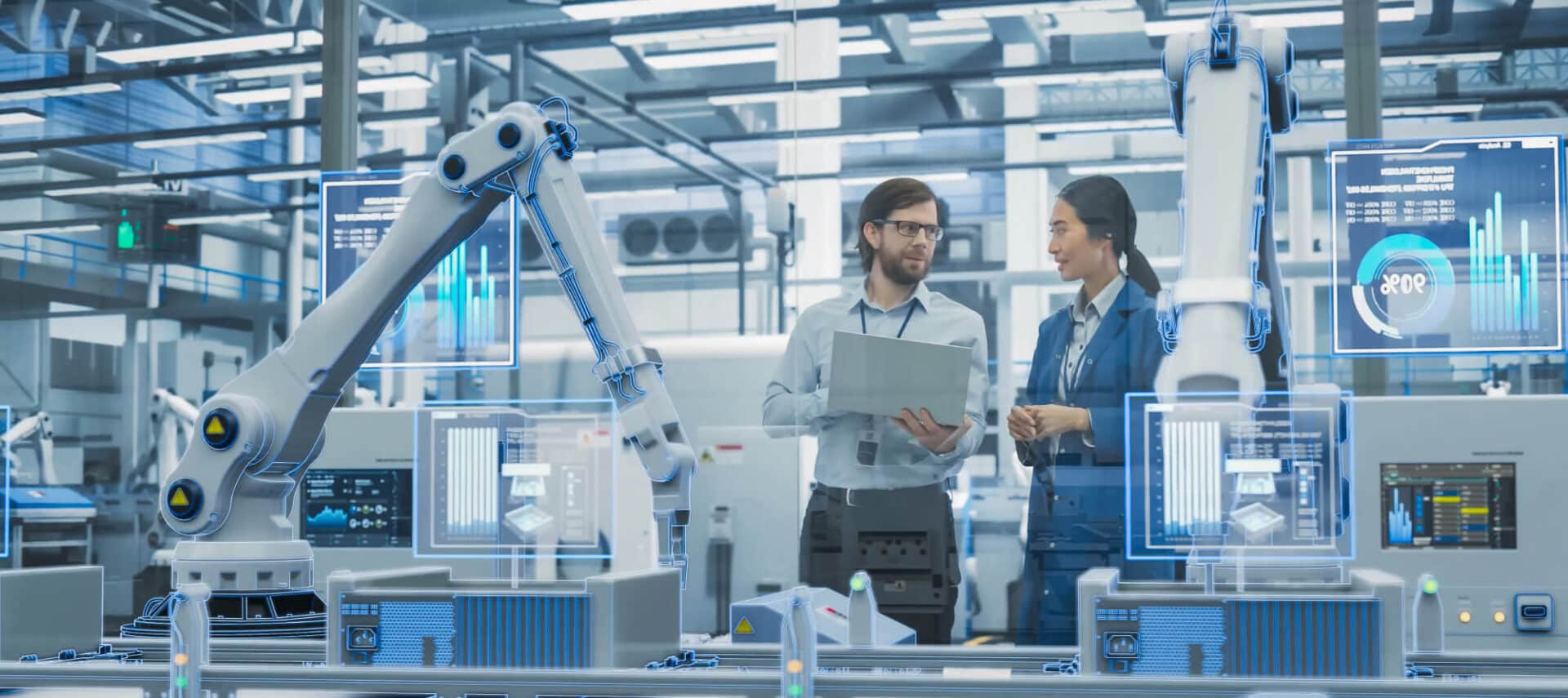
The Future of ERP Software & the Internet of Things (IoT)
The Internet of Things (IoT) is radically changing the world as we know it—and enterprise resource planning (ERP) systems are no exception.
ERP systems already work in sync with the cloud and other technological advances. However, integrating ERP and IoT can truly change the game for many companies, streamlining operations, improving efficiency, and providing advanced data insights for enhanced decision-making.
So, what does the future look like for ERP and IoT? Let’s explore the current landscape, the challenges ahead, the exciting benefits of these technologies, and what the future holds for IoT and ERP integration.
What Is the Internet of Things (IoT)?
The Internet of Things (IoT) is a system of connected devices that communicate and exchange data with one another through the internet. These devices, which can range from everyday household items like smart thermostats and refrigerators to industrial machinery, are embedded with sensors, software, and other technologies. This connectivity enables them to collect and exchange data, providing valuable insights and enhancing automation across various applications.
In a business context, IoT can revolutionize operations by enabling real-time monitoring, data collection, and analysis. For example, manufacturing equipment equipped with IoT sensors can relay performance metrics back to a central system, helping organizations optimize processes, predict maintenance needs, and improve overall efficiency.
With the power of IoT, businesses can make more informed decisions, boost product quality, and create a more responsive supply chain.
How Are ERP Systems Evolving to Work with IoT?
Today, the connection between ERP systems and IoT is still in its early stages for many companies. While the potential of syncing these technologies is vast, some organizations are unsure of how to harness the benefits of this integration. This hesitation is particularly prevalent in the manufacturing sector, where change can often feel daunting. Companies that delay embracing these technologies may find themselves at a disadvantage, as more agile competitors seize the opportunity to enhance efficiency and responsiveness.
When IoT and ERP work together, the results can be remarkable. Here are a few of the ways IoT can work with ERP systems.
Smart Inventory Management
Imagine sensors on your inventory that automatically update your ERP system. For instance, a manufacturing plant can use RFID tags to keep track of components in real time. When stocks are low, your ERP can seamlessly trigger reordering, ensuring you never face production delays.
Predictive Maintenance
Picture having sensors that monitor the health of your machines. In a manufacturing setting, IoT can alert you to potential issues before they become costly problems. If a machine shows signs of wear, for example, your ERP can schedule maintenance proactively, minimizing downtime and saving resources.
Quality Control
You could also use sensors in machinery to gather data on performance. This information is then fed into your ERP system, helping you identify issues, enhance product quality, and improve customer satisfaction.
Supply Chain Visibility
IoT can provide real-time tracking of materials throughout the supply chain. For example, using GPS and IoT sensors, you can monitor shipments and ensure your ERP system is always up to date. This enhanced supply chain visibility leads to better planning and more efficient operations.
Workforce Optimization
IoT wearables allow your employees to track productivity and safety. Smart helmets equipped with augmented reality can guide technicians through tasks while collecting valuable performance data for your ERP, enabling better workforce management and training.
4 Challenges to Integrating IoT & ERP
Integrating IoT with ERP systems comes with its own set of challenges, but understanding these obstacles is the first step toward overcoming them.
1. Data Management & Analysis
The influx of data from IoT devices can be overwhelming. Many traditional ERP and business intelligence (BI) systems struggle to process this information effectively. Without a clear path to integrate IoT data into your ERP, valuable insights might be lost.
2. Cost Considerations
Investing in IoT solutions can feel like a big leap, especially for smaller organizations. While global spending on IoT is expected to soar, it’s essential to find a strategy that fits your budget and capabilities.
3. Cybersecurity Risks
An increasingly connected world requires better, more robust cybersecurity measures. Ensuring your data is protected is an important part of maintaining trust and operational integrity.
4. Learning Curve
Transitioning to an IoT-enabled ERP system requires training and adjustment. You must provide your team with the resources they need to thrive in this new environment.
How the Internet of Things Can Boost ERP: 5 Benefits of IoT & ERP Integration
While challenges exist, the rewards of integrating IoT with ERP are plentiful. Let’s review five key advantages that showcase the potential of IoT-ERP synergy.
1. Enhanced Operational Efficiency
By integrating IoT devices with ERP systems, you can automate and streamline your operations like never before.
Smart sensors and connected devices monitor inventory levels and equipment performance in real time, feeding this crucial data directly into the ERP system. This integration reduces manual tasks, minimizes errors, and enables more efficient resource allocation, allowing your team to focus on strategic initiatives that drive growth.
2. Proactive Predictive Maintenance
The combination of IoT connectivity and ERP systems lets you implement proactive predictive maintenance strategies. IoT sensors continuously track the health of machinery, sending real-time alerts to the ERP system when potential issues arise. This capability allows teams to schedule timely repairs and maintenance, ensuring equipment reliability and minimizing costly downtime, all while maintaining optimal operational performance.
3. Continuous Quality Improvement
Integrating IoT with ERP systems makes it easy for you to leverage data analytics for continuous quality improvement.
IoT devices collect detailed information throughout the production process, which is then analyzed within the ERP framework. This data-driven approach helps you identify trends and areas for enhancement, allowing you to refine your products and services continually, ultimately exceeding customer expectations and solidifying your market position.
4. Safer Work Environments
Safety is vital, and the integration of IoT and ERP systems enhances workplace safety significantly. IoT technologies can monitor environmental conditions and detect potential hazards, sending real-time alerts to the ERP system for immediate action.
This proactive approach to workplace safety not only ensures compliance with regulatory standards but also fosters a culture of safety and care, demonstrating a commitment to employee well-being.
5. Stronger Customer Relationships
Understanding and responding to customer needs is essential. The synergy between IoT and ERP systems provides you with access to real-time data and advanced analytics. This integration allows you to tailor your offerings and interactions based on customer behavior and preferences, fostering loyalty and enhancing overall satisfaction.
By being more responsive and customer-centric, you can build lasting relationships that drive growth.
5 Tips for Integrating IoT & ERP
To navigate the process of integrating IoT technology with your ERP system, follow these tips.
1. Start Small
Begin with pilot projects to explore the benefits of IoT integration without overwhelming your team. Select a specific area or process where you see potential for improvement, such as inventory management or equipment monitoring. Gather insights from this initial project, learn from any challenges, and build on your successes as you expand your integration efforts.
2. Invest in Training
Equipping your employees with the necessary skills to navigate new technologies is essential. Provide ongoing training sessions that not only cover the technical aspects of IoT and ERP but also emphasize how these tools enhance daily operations.
Fostering a culture of continuous learning boosts confidence among your team members and empowers them to make the most of the new systems.
3. Prioritize Data Security
Protecting your data must be a top priority. Implement robust security measures from the outset, such as encryption, secure access protocols, and regular system updates. Conduct periodic audits to assess vulnerabilities and ensure the integrity of your data.
This proactive approach safeguards your organization and helps you build trust with your customers.
4. Focus on Scalability
Choose IoT solutions that can grow alongside your organization.
As your business evolves, flexibility becomes crucial to adapting to new needs and opportunities. Look for platforms that allow for easy integration of additional devices and functionalities over time. This foresight will help you avoid costly overhauls in the future and ensure that your systems can keep pace with your growth.
5. Collaborate with Experts
Team up with IoT specialists and ERP providers who understand your vision and goals. Their expertise can guide you through the integration process, from initial planning to execution and beyond. Building these partnerships enhances your knowledge base and helps you maximize your investment by leveraging best practices and industry insights.
What Is the Future of ERP & the IoT?
As we look to the future, the evolution of ERP systems will closely align with advancements in IoT technologies. Here’s what you can expect.
Real-time Data Integration
Future ERP systems will seamlessly incorporate IoT capabilities, allowing for a continuous flow of real-time data and analytics.
Enhanced User Experiences
Artificial intelligence (AI) and machine learning (ML) will personalize interactions within ERP systems, making data more actionable and intuitive for users.
Greater Automation
As IoT adoption increases, businesses can expect more automation in their operations, freeing up teams to focus on more strategic initiatives.
Expanded Ecosystem
With the growing interconnectivity of devices, ERP systems will integrate with a broader range of applications, providing a more comprehensive view of business operations and a more cohesive system that allows for continued efficiency and growth.
Welcome to the Future of ERP with CAI Software
The integration of IoT with ERP software is an exciting opportunity for organizations across industries. While the journey may come with challenges, the potential for improved efficiency, quality, and decision-making is worth pursuing.
At CAI Software, we believe that embracing these technologies will help your business succeed in an increasingly digital world. Our goal is to provide you with industry-leading solutions that improve your business operations, all with excellent service and support.
With our ERP solutions by your side, you have the tools to not just compete but also truly thrive in this new technological era.
Contact us today for a free consultation.

5 Signs you Should Replace your Legacy ERP System
If your ERP vendor has designed their software properly, and you’ve been able to take advantage of new features as your business has evolved, congratulations. You’re one of the lucky ones. Most companies with an aging ERP, however, begin experiencing problems and find themselves relying more and more on workarounds, spreadsheets and third-party apps.
At the same time, the vendor’s support staff becomes slower to respond to support tickets and increasingly apologetic as your business is hampered by what has now become obsolete software.
Last year, research firm Gartner predicted an increase in ERP investments as more manufacturers push to renovate and replace legacy ERP systems. One of the top initiatives is modernizing ERP systems to bolster critical business capabilities and accelerate business execution. This includes more robust systems and data integrations across platforms1.
Switching to a new ERP is no trivial matter and can be a costly proposition. The adage “if it isn’t broke don’t fix it” certainly holds true for many otherwise forward-thinking companies. These businesses continue to put up with outdated software and poor service in the face of a staff that’s grown accustomed to the software’s little quirks and who are resistant to change2.
If you’re spending more and more time trying to make your legacy software do what it’s not designed to do, or if you constantly resort to a workaround, it may be time to consider replacing your ERP. By using an outdated system, you risk business productivity, IT security, and overall customer satisfaction.
So, when is it time to seriously consider a new ERP?
Here are five signs that the time has come:
1. Your vendor no longer supports your ERP software
Software vendors are under intense pressure to keep their applications competitive. Often, this means wholesale transitions to a new underlying platform or a complete end-of-life (EOL) of your version of their software. As a result, they set a date after which they will no longer offer support, updates and patches on the legacy software that allow it to run its best and respond to evolving security threats. While the product may still work for you on a day-to-day basis, the lack of incremental improvements will eventually cause problems. For example, if you just bought new hardware, like a laptop, and cannot load the ERP, that’s a sure sign you may need to make a change.3
2. Your ERP software doesn’t offer real-time visibility into your sales, manufacturing processes and supply chain
If your current ERP lacks real-time visibility into your inventory or manufacturing processes or if you can’t view data at every stage in your supply chain in real time, it’s time to upgrade or replace your ERP. The best software lets you easily access this critical information to make informed decisions.
Contemporary ERP is delivered as software-as-a-service (SaaS) and is cloud-based software, providing complete business visibility and a seamless transition experience from the office, home, and on your mobile devices. Cloud-based ERP systems are accessed via the internet, allowing your staff to 24/7 access on any mobile device.
Your ERP should also integrate well with third-party systems, such as CRM or accounting. You don’t want your staff trying to manage multiple systems and re-entering the same data multiple times. This can lead to errors and lots of time wasted. Look for ERP software with a flexible Application Programming Interface (API) that lets your team tap into third-party tools to work more efficiently and provide better customer service.
From a compliance perspective and depending on your industry, outdated ERP can put sensitive customer or business data at risk. Look for ERP solutions with built-in information security standards and functionality to meet your industry’s specific regulatory compliance requirements.
3. It’s becoming increasingly difficult to find qualified business systems and technical talent to support your legacy solutions
The inability to find and attract the right kind of talent to support your legacy solution is another key indicator that it may be time for a change. With technology evolving at an unprecedented pace, it can be challenging for your team to keep up with these changes and maintain the professional certifications they need to properly support these systems. Keep in mind that as you struggle to keep your old ERP running, your competition may have already invested and deployed software that doesn’t require this extra effort, giving them a competitive edge.
4. Dated user interfaces and user experiences create employee recruitment, onboarding, and retention challenges
The team you have using and maintaining your current ERP will not be around forever. If they retire or leave the company, you can spend a long time picking up the pieces and dealing with the fallout. New software provides greater access to more people, helping you weather workforce changes with greater ease.
Technology is supposed to make life easier. When it stops achieving that goal, it’s time to make a switch. If you’re fortunate enough to attract new employees, it’s likely that they’ll become frustrated with the software. This can lead to higher staff turnover and difficulty in attracting the next generation of savvy workers who expect newer, user-friendly applications. The best ERP solutions meet these needs.
5. Your ERP system runs on your on-premises server, requiring internal IT resources and risking catastrophic data loss
If your legacy ERP is running on a server in your on-premises computer room and the server malfunctions, you risk catastrophic data loss. On-prem computing also requires internal IT resources to secure, manage and maintain the hardware.
Cloud-based software is faster to implement and doesn’t require in-house IT resources. These systems enhance data security and disaster recovery and provide for rapid updates and upgrades to keep the ERP software up to date. In 2022 and 2023, Gartner estimates that half or more of manufacturers will have ERP remotely deployed, that ERP will be cloud based, and “ERP mega vendor” customers will look at adding to or replacing those monolithic ERP implementations.
Beyond 24/7 availability, the potential benefits of the cloud-based ERP software are enormous. If your current network is self-contained in an on-premises computer room, you’re running the equivalent of your own generator. And with that comes a load of responsibility. Generators malfunction, require fuel, servicing, and possibly additional purchase/installation if demand rises.
Cloud-based ERP eliminates all these responsibilities because cloud providers are responsible for maintenance, infrastructure, and repair, and for meeting surges in demand to ensure service is reliable. That means no more worrying about power outages, hardware failures, offsite backup, and warranty maintenance fees.
Additionally, you eliminate the fees associated with operating system licensing. Cloud-based solutions reduce capital expenses and deployment fees, replacing them with a predictable, budgeted operational expense. Hardware, power, and software costs, along with setup, support, maintenance, and downtime, are cut. Location flexibility and business continuity are also gained, leading to overall savings. As more services are moved to the cloud, more savings are realized through reduced on-premises hardware management.
Conclusion
The decision to move to a new ERP solution is never an easy one. However, if you listen to the issues raised by staff that interact regularly with the legacy software, and you consider your current software based on the change indicators we’ve outlined, the decision becomes a bit easier.
You should begin the ERP evaluation process by identifying your business priorities. Carefully assessing both your company priorities and how well the available ERP solutions can support them both now and over the long term will help you make the right decision about upgrading your ERP software.
ERP software should help your business run efficiently, maximize the service level you provide your customers and drive bottom line profitability. The real costs of continuing to just ‘make do’ with your outdated legacy ERP software can have a real negative impact. Don’t wait too long to make this critical decision.

What’s the Difference Between MRP & MPS?
In the world of manufacturing, two key players—master production scheduling (MPS) and material requirements planning (MRP)—help streamline operations and keep everything running smoothly.
Today, we’ll explore the differences and similarities between MPS and MRP, the business cases that warrant the use of each, and how you can use an enterprise resource planning (ERP) system to harness the full power of MPS and MRP for your business.
Demand Defined: Independent vs. Dependent vs. Hybrid Demand
Demand is a key driver for any inventory planning system, so let’s first start with a few definitions. We’ll use these terms as we explore MPS and MRP.
Independent Demand
Independent demand is driven by customer orders and market trends. It reflects the direct needs of customers for specific products.
For example, if there’s a surge in demand for a popular item, inventory planning will focus on how much of that product to produce.
Dependent Demand
Dependent demand arises from the need for components necessary to manufacture finished products. These are items whose demand is determined by the demand for other products, often detailed in a bill of materials (BOM).
Examples include raw materials and subassemblies, which are consumed during the production process.
Hybrid Demand
Some items exhibit both independent and dependent demand characteristics. For instance, a product that can be sold on its own but also serves as a component in another product requires careful planning to balance both types of demand.
Spare parts and accessories are common examples; they may be used in production but are also sold separately as service items.
What Is a Planning System?
A manufacturing planning system guides you through the complexities of production and inventory management.
At its core, a planning system integrates various components, such as sales forecasts, inventory levels, and production schedules, to create a cohesive strategy for your manufacturing process. It empowers you to make informed decisions based on real-time data, helping you to adapt swiftly to changing market conditions and customer preferences. A well-implemented planning system ensures that everyone—from your production team to your supply chain partners—works harmoniously towards a common goal.
By embracing a robust planning system, you not only enhance your operational efficiency but also empower your team to focus on what truly matters—delivering exceptional products and experiences to your customers.
What Is Master Production Scheduling (MPS)?
Master production scheduling is your roadmap for what needs to be produced and when. Think of it as a friendly guide that helps you ensure the right products are available to meet customer needs.
MPS focuses on independent demand—products that customers order directly, influenced by sales forecasts and market trends. By taking into account your inventory levels, production capacity, and workforce availability, MPS ensures that you’re always prepared to deliver.
Here are a few of the benefits MPS can provide to your organization.
Cost Efficiency
With MPS, you can reduce unnecessary production runs, saving money and resources while optimizing your operations.
Timely Deliveries
By scheduling production accurately, MPS helps you meet customer expectations without the stress of last-minute rushes.
Smart Resource Use
MPS facilitates optimal allocation of your workforce and materials, leading to smoother operations.
Customer Delight
A well-structured MPS aligns production with customer demand, resulting in happier customers and repeat business.
Flexibility
MPS allows you to adjust quickly to changing market conditions, ensuring you remain responsive and agile.
What Is Material Requirements Planning (MRP)?
Material requirements planning is your go-to system for managing the materials and components needed to produce your finished products. Unlike MPS, which focuses on the big picture of production, MRP dives deep into dependent demand—the materials that depend on the production of those finished goods.
Here are some of the ways MRP can benefit your business.
Streamlined Material Planning
MRP ensures that you have just the right amount of materials on hand, helping to reduce excess inventory and minimize costs.
Clear Supply Chain Visibility
With MRP, you gain insights into your supply chain, enabling informed decisions.
Optimal Inventory Levels
MRP keeps your inventory levels balanced, so you avoid both overstocking and stockouts.
Efficient Operations
Automating order generation and inventory tracking through MRP saves time and reduces errors.
Team Coordination
MRP synchronizes manufacturing and purchasing activities, making teamwork easier and more effective.
MPS vs. MRP: What’s the Difference?
While MPS and MRP are closely related, they serve unique functions.
We’ve created a comparison table highlighting the key differences between MPS and MRP to make it easy for you to understand their differences and roles in manufacturing.
| Feature | MPS (Master Production Scheduling) | MRP (Material Requirements Planning) |
| Definition | A plan for producing independent demand items based on forecasts. | A system for calculating material requirements based on dependent demand. |
| Focus | Independent demand items (finished products). | Dependent demand items (components and raw materials). |
| Demand Type | Driven by sales forecasts and customer orders. | Driven by the demand for other products as defined in the BOM. |
| Planning Basis | Plans production to meet forecasted customer demand. | Plans material orders based on scheduled production needs. |
| Time Frame | Typically set for weekly or monthly intervals. | Operates on a more frequent basis, often daily. |
| Adjustment Frequency | Requires regular reviews and adjustments. | Adjustments are often automated and can occur in real-time. |
| Role in Production | Determines when and how much of a product to produce. | Ensures that the necessary materials are available for production. |
| Collaboration | Requires input from marketing, sales, and production teams. | Primarily driven by inventory and production data. |
| Complexity | More complex due to the need for accurate forecasting. | Generally simpler; operates on established order parameters. |
| Outcome | Drives the overall production schedule and capacity planning. | Generates detailed material requirements and purchase orders. |
When to Use MPS vs. MRP
Deciding whether to implement MPS or MRP can significantly impact your manufacturing efficiency and responsiveness to market demands. Both systems serve unique purposes and are best suited for different scenarios. Understanding when to leverage each approach is essential for optimizing your production processes.
To help you decide, we’ve outlined key situations that call for MPS or MRP, helping you make informed decisions that align with your business goals and operational needs.
Use MPS when:
- Your production is largely driven by customer demand.
- You have predictable demand patterns that you can leverage.
- You’re launching promotional campaigns and need to adjust production accordingly.
- Your products have variations that need careful scheduling.
Use MRP when:
- You deal with many components requiring careful management.
- Your production process has time-sensitive materials.
- You prefer a straightforward approach to inventory management.
- You need to balance inventory levels effectively to prevent waste.
Use both MPS and MRP when:
- Your manufacturing process requires a combination of planning strategies to meet complex demands.
- You’re managing a diverse product range with both standard and custom orders.
- You need to synchronize production schedules with inventory availability while responding to customer preferences.
- You aim to improve overall efficiency by integrating long-term forecasts (MPS) with short-term materials requirements (MRP).
By understanding these scenarios, you can choose the right approach—or a combination of both—to enhance your production processes and better meet your customers’ needs.
Real-World Scenarios: MPS vs. MRP
In the following scenarios, we show how companies in various industries navigate the complexities of production planning. From custom bicycle assembly to seasonal clothing demands and exciting product launches, these real-world situations illustrate the practical applications of MPS and MRP.
Scenario 1: Assemble-to-Order with Long Lead Time Components
Imagine a company that assembles customized bicycles. If a customer orders a bike on Monday for delivery by Friday, MPS helps plan production to meet this demand.
However, long-lead-time components, like specialized frames, must be ordered in advance. Here, MPS drives the need for MRP to ensure that all necessary materials are on hand when assembly time arrives.
Scenario 2: Seasonal Demand
Consider a clothing manufacturer experiencing a surge in demand for winter apparel each fall. MPS allows the company to plan production well ahead of time based on historical data, while MRP ensures that fabrics and materials are ready for production, helping the company to smoothly transition into the busy season.
Scenario 3: Promotional Demand
A beverage company planning a new product launch can use MPS to adjust production schedules in anticipation of increased demand. Meanwhile, MRP ensures that the necessary ingredients and packaging materials are ready, allowing the company to meet demand head-on.
MPS & MRP Considerations to Keep in Mind
Both MPS and MRP play crucial roles in ensuring that businesses run efficiently and meet customer demands. Let’s explore some important considerations for each approach, which will help you harness their full potential for your organization.
MPS: Tips for Success
When it comes to master production scheduling, several core concepts can make all the difference in your planning efforts. Here’s a closer look at what to keep in mind:
- Production plan (forecast): Keep it dynamic and collaborative among teams.
- Forecast netted: Tailor your MPS to consider various product lines and their unique demands.
- Cumulative MPS: Track planned output over time to stay focused on long-term goals.
- Time fence: Define periods where production changes are limited to stabilize operations.
- Order parameters: Set parameters for lead times, order quantities, and safety stock levels to guide your planning.
- Planning item: Prioritize key items in your MPS to ensure they’re always on the production radar.
- System management: Conduct regular reviews and adjustments, which are crucial for keeping MPS effective.
Each of these elements helps create a robust MPS that can adapt to changing demands while keeping your production on track.
MRP: Tips for Success
Material requirements planning is all about ensuring that the right materials are available at the right time. Here are some key concepts that are vital to making MRP work for you:
- BOM (bill of materials): Keep a comprehensive list of all components needed for your products.
- Lead time: Accurately estimate the time needed to procure materials.
- Safety stock levels: Maintain minimum inventory levels to avoid stockouts.
- Order point: Define inventory levels that trigger new orders.
- Planning horizon: Determine the timeframe for which MRP calculates material needs based on MPS.
- Lot sizing: Optimize order quantities to minimize costs.
- Exception reporting: Set up alerts for material availability issues to stay proactive.
By understanding these concepts, you can leverage MRP to ensure that your production runs smoothly and efficiently, ultimately delighting your customers with timely deliveries.
How ERP Systems Support MPS & MRP
Enterprise resource planning (ERP) systems are the glue that holds your MPS and MRP together. This type of software solution helps integrate data from various departments, ensuring that everyone is on the same page. With real-time data processing, automated order generation, integrated forecasting tools, and enhanced collaboration features, ERP systems make it easier than ever to align MPS and MRP for optimal results.
Implementing an ERP system not only simplifies your operations but also enhances your ability to respond to market demands with agility and precision.
Seamless Integration for Unified Operations
An effective ERP system integrates data from various departments—sales, production, inventory management, finance, and more—to create a centralized hub of information. This single source of truth ensures that everyone in your organization is on the same page, working collaboratively toward shared goals.
With this unified approach, MPS and MRP can align perfectly, allowing for smoother transitions between production planning and material procurement.
Real-Time Data Processing
In the manufacturing world, timing is everything.
ERP systems provide real-time data processing, enabling you to access up-to-date information whenever you need it. This immediacy is crucial for MPS and MRP, as it allows for timely adjustments based on current demand, inventory levels, and production capabilities.
When ERP, MPS, and MRP work together, you can make informed decisions on-the-fly and quickly adapt your strategies to meet shifting customer needs.
Automated Order Generation
One of the standout features of ERP systems is automated order generation. This functionality not only saves you time but also reduces the risk of human error.
With MPS guiding your production schedule and MRP determining your material needs, your ERP system ensures that orders are generated automatically when inventory reaches predetermined levels. You can maintain optimal inventory without the stress of manual tracking, allowing your team to focus on what truly matters—delivering quality products to your customers.
Integrated Forecasting Tools
Accurate forecasting is the foundation of effective production planning. ERP systems come equipped with integrated forecasting tools that analyze historical data, market trends, and customer behavior.
By leveraging these insights, you can refine your MPS, making informed decisions about production schedules that align with actual demand. This proactive approach not only enhances your operational efficiency but also empowers your team to plan ahead with confidence.
Enhanced Collaboration Features
Manufacturing is a team effort, and an ERP system fosters collaboration among your departments.
With features that enable easy communication and information sharing, your team can work together more effectively. Whether it’s production updates, inventory status, or sales forecasts, everyone has access to the same information, facilitating a more synchronized approach to both MPS and MRP.
This collaborative spirit not only boosts morale but also enhances your organization’s overall responsiveness to market fluctuations.
MPS vs. MRP FAQs: Your Questions, Answered
What Does MPS Stand For?
MPS stands for master production scheduling.
What Is MPS in Production?
MPS, or master production scheduling, is the process of planning what and how much of a product will be produced within a specific time frame.
What Is an Example of MPS?
An example of MPS would be an automotive company planning to assemble a specific number of vehicles each week based on projected customer demand and sales forecasts. This schedule would detail the types of vehicles to be produced, such as sedans, SUVs, and trucks, ensuring that the necessary parts and labor are available to meet market needs.
What Does MRP Stand For?
MRP stands for material requirements planning.
What Is MRP in Production?
MRP, or material requirements planning, is a system used to manage and plan the materials needed for production, ensuring that the right materials are available at the right time.
What Is an Example of MRP?
An example of MRP would be a furniture manufacturer that calculates the necessary materials, such as wood, upholstery, and hardware, based on its production schedule for assembling chairs and tables.
What Is the Relationship Between MPS and MRP?
MPS provides the production schedule based on customer demand, and MRP uses this schedule to calculate the necessary materials and components needed for production.
What Is the Difference Between an MRP and an MPS?
MPS focuses on what products need to be produced and when, while MRP determines the materials and components required to fulfill that production schedule.
Unlock the Power of MPS & MRP with ERP Solutions from CAI Software
Understanding the relationship between MPS and MRP can empower your manufacturing operations. These systems work hand in hand to optimize production, ensuring you meet customer needs while using your resources wisely. By embracing MPS and MRP, you can navigate the complexities of production planning with confidence, adaptability, and efficiency, paving the way for continued growth and success.
At CAI Software, we believe in the power of collaboration and proactive planning. With our ERP systems, you can implement MPS and MRP, transform your operations, delight your customers, and watch your manufacturing business thrive.
Contact us today to learn more about how our solutions can help you achieve your business goals.

What Is Master Production Scheduling (& How Can ERP Systems Help)?
We know that effective production planning is essential to success in the manufacturing industry. Enter master production scheduling (MPS)—a powerful tool that helps turn your business strategies into actionable production plans.
With MPS, you can effectively manage challenges like seasonality, promotions, and fluctuating demand. And when paired with a robust enterprise resource planning (ERP) system, MPS can transform your manufacturing operations, making them more efficient, responsive, and streamlined.
Understanding Master Production Scheduling (MPS)
At its essence, master production scheduling is about planning what products to manufacture, in what quantities, and at what times. It serves as a vital link between sales forecasts and the production floor, ensuring that your team is equipped to meet customer demands without unnecessary waste.
How Does MPS Work?
MPS takes into account starting inventory, expected orders, and production capacity. Imagine a pump manufacturer needing to deliver custom orders quickly—MPS helps maintain the right amount of inventory to fulfill these orders without overstocking. By regularly reviewing and updating the MPS based on real-time data, manufacturers can stay agile, seamlessly responding to changes in demand.
The Role of MPS in Your Manufacturing Success: 6 Benefits of Master Production Scheduling
MPS is not just about planning production—it’s about empowering your entire organization. And implementing this type of production scheduling offers several advantages for manufacturing companies.
Here are some key benefits of implementing MPS effectively.
1. Enhanced Production Control
With MPS, you can proactively manage your production processes. By analyzing demand patterns and adjusting schedules accordingly, you can ensure that you meet customer needs without sacrificing efficiency.
This enhanced control also enables you to respond effectively to any disruptions, keeping your operations -such as supply chain delays or equipment malfunctions – running smoothly and efficiently.
2. Better Resource Management
With MPS, you can optimize resource allocation—whether that involves labor, machinery, or materials—ensuring that everything is utilized efficiently. This approach means less downtime and reduced waste, contributing to a more sustainable operation.
3. Accurate Financial Projections
An effective MPS provides visibility into production plans and expected outcomes, helping your finance team forecast revenues and costs with greater accuracy. This insight is vital for making informed investment decisions and maintaining healthy cash flow. Furthermore, accurate financial projections allow manufacturers to allocate budgets more effectively, ultimately leading to better resource utilization.
4. Cross-Department Collaboration
Successful MPS relies on clear, ongoing communication among sales, marketing, and production teams. By fostering this collaboration, you can ensure that promotional activities, product launches, inventory levels, and more are all aligned—minimizing disruptions, maximizing efficiency, and creating a unified strategy that enhances overall business performance.
When departments work together, you’re better equipped to meet customer demands and adapt to changes.
5. Customer Satisfaction & Loyalty
When you effectively execute MPS, you ensure that products are available when customers need them, which builds trust and loyalty. Happy customers are more likely to return and recommend your brand, which is invaluable in today’s competitive market.
6. Compliance & Risk Management
With accurate MPS, you can better manage risks associated with production, such as compliance with regulations and industry standards. By ensuring that production schedules align with legal requirements and best practices, you can avoid costly fines and disruptions.
How ERP Systems Make MPS Easier: 9 Reasons to Pair MPS & ERP
Integrating MPS with a comprehensive ERP system can be a game-changer for manufacturers.
ERP systems are comprehensive software solutions designed to manage and integrate core business processes in real time. They bring together data from various departments—such as sales, inventory, production, and finance—into a centralized platform, fostering collaboration, streamlining data flow, and improving decision-making.
When MPS is paired with an ERP system, the scheduling process becomes significantly more manageable and efficient, empowering manufacturers to optimize operations effectively.
Let’s examine just a few ways that integrating these systems simplifies the scheduling process.
1. Streamlined Data Management
An ERP system centralizes data from various departments—sales, inventory, production, and finance—allowing for real-time visibility into operations. This integration ensures that everyone is on the same page, enabling better collaboration across teams. With accurate data at your fingertips, you can make informed decisions about production schedules and inventory levels.
2. Automated Scheduling
ERP systems automate many scheduling tasks, reducing manual effort and the risk of errors. With automated MPS, you can quickly generate production schedules based on real-time demand data. This means your team can focus on what really matters—delivering quality products to customers.
3. Flexibility to Adapt
In a fast-paced environment, being able to pivot quickly is essential. ERP systems allow you to easily adjust your MPS to reflect changes in demand or resource availability. Whether it’s a sudden spike in orders or a delay in supply, your ERP can help you make the necessary adjustments on the fly.
4. Enhanced Resource Allocation
By analyzing data on labor, machinery, and materials, ERP systems help you allocate resources more effectively. This optimization means less downtime and improved efficiency, ensuring that your production processes run smoothly.
5. Improved Forecast Accuracy
With advanced analytics and reporting features, ERP systems enhance your forecasting capabilities. You can leverage historical data and trends to create more accurate MPS, aligning production with actual customer demand.
6. Increased Efficiency on the Shop Floor
ERP systems enable lean manufacturing by aligning production with actual demand. By using pull-production principles, manufacturers can minimize excess production, ensuring that resources are only utilized when needed. The result is a smoother workflow and reduced lead times.
Additionally, the smart algorithms in ERP systems can automatically adjust production schedules based on real-time data, helping manufacturers remain agile in the face of demand fluctuations.
7. Meeting Client Deadlines
With an accurate MPS, manufacturers can plan their production schedules around specific customer deadlines. By focusing on exactly what is required and when, companies can improve their delivery performance, leading to enhanced customer satisfaction. A well-implemented MPS allows manufacturers to prioritize orders and allocate resources effectively, ensuring timely fulfillment even during peak demand periods.
8. Waste Reduction
MPS within an ERP framework helps eliminate waste in various forms—time, materials, and labor. For instance, in industries where products are perishable or rapidly evolving, such as electronics, producing only what is needed prevents costly excess inventory.
By minimizing waste, companies can also enhance their sustainability practices, which is increasingly important to consumers and regulators alike.
9. Improved Supply Chain Communication
ERP systems create a centralized hub for managing production schedules, making it easier for teams across departments to stay aligned. Sales can monitor order statuses, while purchasing can anticipate material needs—streamlining the supply chain from raw materials to final products. This transparency fosters a collaborative environment where teams can respond swiftly to changes, ensuring that production goals are met.
Master Production Scheduling & ERP Example: A Real-World Look at How ERP Supports MPS
Let’s consider a practical example of a helicopter harness manufacturer. This manufacturer receives an annual build schedule from customers that outlines monthly requirements but lacks exact delivery dates.
Here’s how an ERP system can help streamline the MPS process in this scenario.
Loading Forecasts
As soon as the annual build schedule is received, the manufacturer inputs it into the ERP system as a forecast. The ERP uses this data to generate a preliminary MPS that outlines planned production based on expected demand.
Dynamic Adjustments
Each month, when the delivery schedule is received, the ERP automatically adjusts the MPS based on the latest data. If the delivery dates shift or if there’s a change in demand, the ERP system recalibrates production schedules and resource allocations accordingly.
Visibility Across Teams
The ERP provides visibility to all departments involved. The sales team can check the status of orders, while production managers can monitor resource availability. This centralized information helps ensure everyone is aligned, reducing the risk of delays or miscommunication.
Effective Resource Management
The ERP tracks component lead times and inventory levels, alerting the purchasing department when materials need to be reordered. This proactive approach helps prevent stockouts and ensures that production can proceed smoothly.
Real-Time Reporting
With real-time data analytics, the manufacturer can assess production performance and make informed decisions. If any issues arise, the team can quickly adjust the MPS to mitigate risks, ensuring timely delivery of products.
FAQs: Master Production Scheduling & ERP Systems
What Is Master Production Scheduling (MPS), & Why Is It Important?
Master production scheduling (MPS) is a planning process that determines what products to produce, when to produce them, and in what quantities. It plays a crucial role in aligning production with customer demand, ensuring that manufacturers can meet deadlines while optimizing resources. An effective MPS helps avoid stockouts, reduces excess inventory, and enhances overall operational efficiency.
What Is MPS in Simple Terms?
In simple terms, master production scheduling (MPS) is a plan that outlines what products a manufacturer needs to produce and when. It helps ensure that the right products are made at the right time to meet customer needs.
What Is the Purpose of MPS?
The primary purpose of MPS is to provide a clear and actionable plan for production that aligns with customer demand. It aims to optimize the use of resources, minimize costs, and ensure that production processes are efficient and effective.
What Are the Functions of a Master Production Schedule?
The functions of an MPS include the following:
- Planning production: Specifies what to produce, when, and how much
- Aligning with demand: Integrates sales forecasts with production planning
- Resource allocation: Determines the necessary resources, including labor and materials
- Communication tool: Serves as a bridge between sales and manufacturing teams, allowing both to understand production capabilities
What Are the Benefits of Master Production Scheduling?
There are several benefits of MPS:
- Improved efficiency: Streamlines production processes and reduces waste
- Better inventory management: Helps maintain optimal inventory levels, preventing overstocking or stockouts
- Enhanced forecast accuracy: Aligns production schedules with actual customer demand
- Increased customer satisfaction: Ensures timely delivery of products, boosting customer trust and loyalty
- Cost reduction: Minimizes unnecessary procurement and production costs
What Are Common Problems Associated with Master Production Schedules?
Common problems include associated with master production scheduling include the following:
- Inaccurate forecasting: If demand forecasts are incorrect, it can lead to overproduction or stockouts
- Lack of flexibility: Failure to adapt quickly to changes in demand or supply chain disruptions can cause delays
- Poor communication: Misalignment between sales and production teams can lead to unmet customer expectations
By implementing MPS, manufacturers can mitigate these issues and create a more responsive and efficient production environment.
How Does an ERP System Help with Master Production Scheduling?
An ERP system enhances MPS by providing accurate and timely data across all departments. This integration allows for better forecasting, resource allocation, and scheduling. ERP also automates many scheduling tasks, reduces manual errors, and offers the flexibility to quickly adapt to changes in demand, ensuring that manufacturers can respond effectively to customer needs.
Can You Provide an Example of MPS & How It Works with ERP Systems?
Consider a furniture manufacturer that receives customer orders for customized pieces. By using an ERP system integrated with MPS, the manufacturer can analyze past sales data and forecast demand for different furniture styles. The ERP automates scheduling based on this data, ensuring that raw materials are ordered in advance and production schedules are adjusted to meet demand.
This integration minimizes lead times and enhances customer satisfaction.
Master Production Scheduling: Boost Efficiency with ERP Systems from CAI Software
Master production scheduling is an invaluable tool for manufacturers looking to streamline operations and respond effectively to market demands. By integrating MPS with an ERP system, you can create a dynamic, responsive production plan that empowers your team and enhances customer satisfaction.
At CAI Software, we believe in the power of collaboration and proactive planning. With our ERP systems, you can implement MPS, transform your operations, delight your customers, and watch your manufacturing business thrive.
Contact us today to learn more about how our solutions can help you achieve your business goals.

The Importance of Fully Integrating All Business Functions During ERP Implementation
Many businesses are continually looking for ways to improve efficiency and enhance collaboration—and one of the most effective strategies for achieving these goals is through enterprise resource planning (ERP) solutions.
While companies incorporate all types and sizes of ERP systems to help manage their business processes, the real key to success lies in fully integrating all business functions within a unified platform.
ERP Implementation Best Practice: Embrace Change Management
When we ask organizations why they choose to implement ERP solutions, a common theme emerges: “To integrate all facets of our business on a single application platform.”
But actually achieving this integration requires more than great software—you also need a thoughtful, strategic approach. In fact, what often happens is that companies facing challenges after ERP implementation tell us, “We wish we had avoided a piecemeal approach.”
Understanding Piecemeal Implementation
Piecemeal implementations involve unsystematic, partial measures taken over time rather than a cohesive, planned rollout. While it may seem tempting to implement select modules to simplify the process, this fragmented approach can lead to inefficiencies and missed opportunities.
The Risks of a Fragmented Approach to ERP Implementation
When it comes to implementing an ERP system, the goal is to create a cohesive and efficient environment that enhances collaboration across all business functions. However, choosing a fragmented approach can lead to significant challenges that hinder this vision. Operating on separate systems may seem manageable at first, but it often gives rise to a host of risks that can undermine productivity and create confusion.
By understanding these risks, you can make informed decisions that prioritize a fully integrated ERP solution—paving the way for smoother operations and better business outcome
Problem #1: Inefficiencies Across Departments
When departments operate on different systems, data silos can form. For example, if sales uses one platform while accounting uses another, miscommunication can occur, resulting in errors and delays.
Problem #2: Increased Training Costs
Training employees on multiple systems can be time-consuming and costly. A unified system minimizes the need for extensive training, allowing your team to become proficient more quickly.
Problem #3: Difficulty in Data Analysis
An integrated ERP system allows for comprehensive data analysis across departments. With piecemeal systems, organizations miss out on the holistic insights that inform strategic decision-making.
Problem #4: Complicated Compliance & Reporting
Regulatory compliance can be a challenge when financial data is not integrated with operational data. A unified ERP system streamlines reporting, ensuring that all departments adhere to compliance standards seamlessly.
A Common ERP Implementation Mistake: Leaving Out Accounting
One frequent error in ERP selection and implementation is the omission of accounting functions. Some organizations aim to reduce complexity, inadvertently sidelining a critical component of their operations. Unfortunately, leaving out accounting modules can lead to disconnects in financial reporting and operational insights.
The Role of Accounting in ERP
The accounting module is crucial in any ERP implementation. It tracks financial transactions, ensures compliance, and provides insights into the organization’s financial health.
Excluding accounting can result in several issues:
- Data gaps: Without accounting integration, vital financial data may be overlooked, leading to poor decision-making.
- Errors in financial reporting: Manual data entry between separate systems increases the risk of errors, which can significantly impact the bottom line.
- Inconsistent reporting: Different departments may report financial data inconsistently, complicating strategic planning and forecasting.
The good news? A robust ERP solution naturally integrates accounting functions. By establishing general ledger account mappings across modules, transactions are automatically posted to the correct accounts, providing valuable insights.
Real-World Success: A Case Study
One of our large ERP customers noted on their go-live day that they were already seeing financial information flow into the general ledger that had previously eluded them. Had they opted for separate platforms for operations and accounting, they would still be in the dark, missing crucial insights that drive business strategy.
How to Achieve Comprehensive ERP Integration: 6 Steps to Follow
Integrating all functions from the beginning requires careful planning and execution. Follow these steps to ensure a successful ERP implementation.
1. Appoint a Project Lead with an Operational Background
Select someone who understands the entire business but doesn’t come from IT or accounting to lead the ERP implementation team. This person should be well-versed in how different functions interrelate and will facilitate seamless operational integration. Their broad understanding enables them to bridge gaps between departments and foster collaboration.
2. Assemble a Core Implementation Team
Create a team that includes representatives from the following departments:
- Operations (Project Lead)
- Accounting (Project Support)
- IT/DevOps (Project Support)
A cross-functional team will ensure that diverse perspectives are considered, leading to a more comprehensive and effective implementation.
3. Train Together
Just like a sports team practices together before the big game, your core team should attend ERP application training as a unit. This approach builds relationships and trust, fostering collaboration and a shared understanding of the new system.
4. Start with a Small Pilot
Develop a scaled version of your business for initial testing. This pilot will help you map processes and data into the ERP system effectively.
- Select a representative sample: Choose a small subset of items, customers, suppliers, and general ledger accounts to test, which should reflect the broader operational landscape.
- Gather feedback: Collect input from team members and end-users to refine processes and identify issues early on. This feedback is invaluable for improving the system before the full rollout.
- Iterate and improve: Use insights from the pilot to make adjustments and ensure the system meets everyone’s needs.
Following a successful small pilot, conduct a comprehensive big pilot that incorporates all company data to provide a clearer picture of how the ERP will function in real-world scenarios.
5. Involve Accounting from the Start
Engage the accounting team in the piloting process to guide general ledger setup and transaction validation. Their early involvement helps establish financial integrity from day one and ensures that all transactions are captured accurately.
6. Iterate & Adapt
Throughout the piloting phase, the IT/DevOps team should work closely with the implementation team to refine reports and forms. Their technical expertise will help ensure that the ERP meets the needs of end-users, allowing for seamless day-to-day operations.
What Does ERP Implementation Success Look Like?
Success metrics for ERP implementations can vary widely across organizations. However, if your aim is to create a tightly integrated business that operates responsively and cost-effectively, the full implementation of core ERP functionalities should be a primary success indicator.
Improved Data Accuracy
Seamless integration reduces the chances of errors due to manual data entry.
Enhanced Reporting Capabilities
A unified system provides real-time reporting, offering insights that help with strategic decision-making.
Increased Efficiency
Integrated workflows streamline processes, allowing teams to focus on value-added activities rather than administrative tasks.
Better Customer Experience
When all departments have access to the same data, they can respond more effectively to customer inquiries and needs, enhancing overall satisfaction.
A Look at the Bigger Picture
Implementing a fully integrated ERP system isn’t just about technology—it’s about transforming how the organization operates. It requires a cultural shift where collaboration and communication are prioritized.
By fostering an environment that values integration and teamwork, you can maximize the benefits of your ERP investments, leading to sustainable growth and a competitive edge in the marketplace.
ERP Implementation & Integration FAQs
What Is Current Best Practice in ERP Implementation?
ERP implementation best practices involve a holistic approach that integrates all business functions, prioritizes change management, and engages cross-functional teams from the start. This approach includes involving accounting early, conducting pilots, and ensuring robust training.
What Are Typical Challenges of Implementing an ERP System?
ERP implementation challenges can include resistance to change, lack of executive support, insufficient training, data migration issues, and integrating existing legacy systems with the new ERP solution. Addressing these challenges proactively is essential for a successful implementation.
What Is a Common Pitfall During ERP Implementation?
A common pitfall is underestimating the importance of change management and failing to engage all relevant functions, particularly accounting, from the outset. This oversight can lead to a lack of buy-in from critical stakeholders, resulting in a disjointed implementation.
What Is ERP Integration?
ERP integration refers to connecting various business functions—like finance, sales, inventory management, and operations—into a single, cohesive system that streamlines processes and improves data visibility. This integration helps eliminate data silos and enhances communication between departments.
Can CRM Be Integrated with ERP?
Absolutely! CRM systems can and should be integrated with ERP solutions to ensure a unified view of customer interactions. This integration enhances sales and service capabilities while improving overall business intelligence.
Unlock the Full Potential of Your ERP Solution with CAI Software
Fully integrating all business functions during ERP implementation is essential for maximizing the value of your investment. By engaging key stakeholders and prioritizing teamwork, you can see greater efficiency, better customer service, and a brighter future for your business.
The journey to ERP implementation success may be complex, but the rewards—improved operations, enhanced insights, and a stronger competitive edge—are well worth the effort.
At CAI Software, we create innovative, production-oriented software to help our customers across a variety of industries streamline business processes and optimize their manufacturing, processing, or distribution environment—and we’ve been leading the industry for over 40 years.
Our goal is to provide you with industry-leading solutions that improve your business operations, all with excellent service and support. Whether you are looking to automate production, increase your return on investment, reduce costs, or streamline operations, we can help. With our suite of ERP tools and access to our expert team, optimizing your business processes is easier than ever.
Contact us today for a free consultation.

The Holy Grail of Accounting Systems: Achieving a Pristine General Ledger with ERP
One thing we’ve noticed about accountants is that they generally like things neat and orderly, especially when it comes to their general ledger.
Unfortunately, the real world is often messy and chaotic. Transactions get entered for the wrong accounts, quantities, or dates, which leads to reversal transactions and then another set of corrected transactions. Even with a flawless transaction record, a company of moderate size can end up with thousands of general ledger entries that make finding the source of a transaction like looking for the proverbial needle in a haystack.
But don’t worry—with the right accounting software, such as the accounting module of an enterprise resource planning (ERP) system, you can achieve a pristine general ledger and make life cleaner and more manageable for your accountants.
The Importance of an Organized & Accurate General Ledger
A pristine general ledger is the backbone of your business’s financial health. It serves as the foundation for accurate financial statements, effective budgeting, and compliance with regulations.
When your general ledger is cluttered with errors, it can lead to many issues:
- Inaccurate financial reporting: Mistakes can distort your financial statements, making it hard to make informed decisions.
- Compliance issues: Regulatory bodies require accurate records. Discrepancies can result in penalties and hurt your reputation.
- Operational inefficiencies: Tracking down errors can waste valuable time and resources, preventing your team from focusing on what really matters.
That’s why prioritizing a pristine general ledger is vitally important. Fortunately, choosing the right software can significantly simplify this journey.
3 Key General Ledger Features to Look for in Accounting Software
When it comes to selecting accounting software, there are several key features that can make a world of difference.
1. Advanced General Ledger Account Search
A user-friendly general ledger account search widget is a game-changer. Look for features like the following:
- Auto-completer functionality to streamline your searches and save time.
- The ability to create or edit account numbers directly from the widget for authorized users, allowing for quick updates.
- Contextual presets that filter account types (e.g., asset or liability accounts) to help prevent setup errors. This way, you can focus on your work without worrying about mistakes!
2. Transaction Editing Capabilities
Mistakes are part of life, and your software should acknowledge that. Look for systems that allow you to modify posted journal entries. A “soft delete” feature means you can flag erroneous transactions as deleted, removing them from reports while keeping an audit trail. This balance between clean records and accountability is essential for your peace of mind.
Moreover, having the ability to edit manual journal entries ensures that your original entries are preserved while new, corrected entries are reposted. You can maintain the integrity of your financial record while making necessary corrections.
3. Intermediate Journals for Transaction Management
Intermediate journals are invaluable for supporting the general ledger. Rather than posting every transaction directly to the general ledger, these journals allow you to accomplish the following
- Aggregate postings to minimize clutter in your general ledger.
- Review and correct transactions before they impact your general ledger, giving you peace of mind.
- Backdate or forward date transactions as needed, providing flexibility for your financial reporting.
This added layer of transaction management helps you maintain a clean and accurate general ledger, empowering your team to work confidently.
Why ERP Systems Are the Best Solution for Your General Ledger
Enterprise resource planning (ERP) systems are designed to integrate various business processes into a unified solution, and they truly shine in accounting functions. Here’s how they can help you tackle the challenges we’ve discussed.
Comprehensive Integration
ERPs centralize all financial data, ensuring that everyone in your organization works with the same information. This integration reduces the likelihood of errors and provides a holistic view of your business’s financial health.
Advanced Reporting & Analytics
With powerful reporting tools, ERP systems make it easy to gain insights from your general ledger. Customizable dashboards and analytics help you track key performance indicators (KPIs) and identify discrepancies quickly.
Enhanced User Controls
ERP systems offer advanced privilege controls, allowing you to regulate who can modify or delete transactions. This added transparency and control safeguards your general ledger’s integrity and reduces the risk of unauthorized changes.
Streamlined Compliance & Audit Trails
A pristine general ledger isn’t just about neatness—it’s also about compliance. ERP systems ensure that all financial transactions are traceable, helping you meet regulatory requirements with confidence.
Real-Time Data Processing
Unlike traditional systems that may require batch processing, ERP systems update financial data in real time. This capability allows you to have up-to-the-minute insights into your financial status, making it easier to make informed decisions.
Comparing ERP Systems to Traditional Accounting Solutions: How Do They Stack Up?
While traditional accounting software may seem appealing, ERP systems offer several advantages that can truly transform your financial management.
| Criteria | Traditional Accounting Software | Enterprise Resource Management (ERP) Systems |
| Integration vs. Isolation | Often operates in isolation, requiring manual data transfers that can lead to discrepancies. | Provide an integrated solution that connects various business functions, ensuring everyone works with the same data. |
| Scalability | May struggle with scalability, requiring costly and time-consuming migrations to new solutions as your business expands. | Designed to grow with your business, accommodating increased transaction volumes and additional functionalities without disruption. |
| Data Visibility & Reporting | Often have limited reporting capabilities, making it harder to access timely insights. | Offer advanced reporting tools and dashboards for real-time visibility into financial performance. |
| User Experience | May have outdated interfaces, requiring more training and time for users to become proficient. | Feature user-friendly interfaces and automation tools that enhance the overall user experience. |
| Cost Considerations | Is generally cheaper upfront, but hidden costs related to inefficiencies can accumulate over time. | Often require a higher initial investment but come with long-term benefits of efficiency and integration that often outweigh the costs. |
Examples of ERP vs. Traditional Accounting Systems
To illustrate the advantages of ERP systems over traditional accounting software, let’s explore some real-world examples that highlight key differences. These comparisons will shed light on how ERPs enhance integration, scalability, real-time insights, and user efficiency, ultimately transforming your financial management processes for the better.
Integration & Functionality
An ERP can seamlessly connect financial data with sales and inventory, allowing immediate updates to financial reports. Traditional accounting software would require manual entries, increasing the chance of errors.
Scalability in Action
As your business grows, an ERP can easily add new functionalities, such as advanced analytics or additional reporting capabilities. In contrast, upgrading basic accounting systems might necessitate a complete overhaul, which can be disruptive.
Real-Time Insights
An ERP can provide immediate visibility into financial metrics, allowing your team to make decisions based on current data. Traditional systems may only offer periodic updates, leading to outdated information.
User Adoption & Efficiency
A modern ERP system’s intuitive interface can simplify training and improve user adoption, enabling your team to work more efficiently.
4 Real-World Benefits of Using ERP for General Ledger Management
Implementing an ERP system can bring transformative benefits to your general ledger management. From enhancing accuracy and efficiency to improving financial forecasting and compliance, ERPs offer a comprehensive solution to common accounting challenges.
1. Enhanced Accuracy & Efficiency
By leveraging an ERP system, you can reduce the likelihood of errors associated with manual data entry and cross-departmental discrepancies. Automation features streamline workflows, enabling your team to focus on analysis and strategic decision-making.
2. Improved Financial Forecasting
With real-time data and advanced analytics capabilities, ERP systems allow for more accurate forecasts and budgets. This insight helps in strategic planning and resource allocation, ensuring your organization can adapt to changing market conditions.
3. Better Compliance Management
ERP systems come equipped with tools designed to help you adhere to regulatory requirements. Audit trails ensure that all financial transactions are documented, making it easier to respond to audits and compliance inquiries.
4. Simplified Training & User Adoption
Modern ERP systems often feature user-friendly interfaces and extensive training resources, facilitating a smoother onboarding process for new employees. This simplicity encourages broader user adoption, enhancing the efficiency of your financial processes.
8 Tips for Maintaining an Accurate & Well-Organized General Ledger Using an ERP System
Keeping your general ledger accurate and organized doesn’t have to be a daunting task. With the right approach and the powerful features of an ERP system, you can achieve a streamlined and efficient financial management process.
Follow these practical tips to help you maintain a pristine general ledger.
1. Review & Reconcile Data Regularly
Make reconciliation a regular part of your routine. Schedule monthly or quarterly reviews to compare your general ledger with bank statements, accounts receivable, and accounts payable. This practice helps catch discrepancies early, allowing for timely corrections and reducing the risk of larger issues down the line.
2. Utilize Automated Workflows
Leverage the automation features of your ERP system. Set up automated workflows for transaction entries and approvals, reducing the chances of human error. This practice not only enhances accuracy but also saves valuable time for your team, allowing them to focus on analysis and strategic planning.
3. Implement User Access Controls
Establish clear user roles and permissions within your ERP system. By controlling who can create, edit, or delete entries, you protect the integrity of your general ledger. An added layer of security ensures that only authorized personnel can make changes, minimizing the risk of unauthorized adjustments.
4. Categorize Transactions Properly
Encourage your team to categorize transactions accurately as they are entered into the system. Consistent categorization makes it easier to track financial performance and generate meaningful reports. Don’t forget to use the customizable account types in your ERP to ensure that everyone is on the same page.
5. Conduct Regular Training
Invest in ongoing training for your team. Familiarize them with the features of your ERP system and best practices for managing the general ledger. A well-informed team is more likely to utilize the system effectively, leading to better data accuracy and efficiency.
6. Review Reports Frequently
Take advantage of the advanced reporting capabilities of your ERP. Regularly generate and review financial reports to identify trends and discrepancies. This proactive approach allows you to address issues before they escalate and provides valuable insights into your business’s financial health.
7. Maintain an Audit Trail
Ensure that your ERP system’s audit trail feature is activated. This feature automatically records all changes made to the general ledger, providing a transparent history of transactions. An audit trail aids in compliance and enhances accountability within your organization.
8. Encourage Open Communication
Foster a culture of communication among your finance team. Encourage them to discuss any challenges they encounter and share insights on best practices. An open dialogue can lead to improved processes and a stronger understanding of the general ledger’s importance.
Frequently Asked Questions: ERP & General Ledger Systems
What Is a General Ledger System?
A general ledger system is a foundational accounting tool that records all financial transactions within a company, serving as the primary source for financial reporting.
How Does a General Ledger System Work?
A general ledger system compiles all transaction entries, categorized into accounts (assets, liabilities, equity, revenues, and expenses), and provides a comprehensive view of the company’s financial status.
What Is the Importance of a General Ledger?
The general ledger is essential for accurate financial reporting, compliance, and effective decision-making, allowing businesses to track their financial health over time.
What Is the Purpose of a General Ledger in a Business?
The purpose of a general ledger in business is to provide a complete and organized record of all financial transactions, enabling organizations to prepare financial statements and ensure regulatory compliance.
What Are Common Challenges in Accounting Regarding a General Ledger?
Common general ledger accounting mistakes include making data entry errors, entering transaction misclassifications, having difficulties in tracking changes, and failing to maintain a clear audit trail.
How Is ERP Used in Accounting?
ERP systems integrate all financial and accounting processes into a single platform, streamlining data entry, reporting, and compliance while ensuring accurate financial management.
How Can ERP Address & Solve Common Accounting & General Ledger Challenges?
ERP addresses common accounting and general ledger challenges through centralized data management, advanced reporting, robust user controls, and streamlined compliance features, enhancing the accuracy and reliability of the general ledger.
What Are the Main Functions of the Finance & Accounting Module of an ERP?
The finance and accounting module of an ERP typically includes accounts payable, accounts receivable, general ledger management, budgeting, forecasting, and financial reporting.
What Are the Main ERP Financial Accounting Components, & What Functionality Do They Provide?
Key finance and accounting components of an ERP include general ledger, accounts payable, accounts receivable, asset management, and financial reporting. They provide functionalities such as transaction tracking, financial analysis, compliance management, and budgeting.
What Makes ERP Different from Other Accounting Systems?
Unlike traditional accounting systems, ERPs offer comprehensive integration across business functions, enabling real-time data visibility, advanced analytics, and greater scalability—all of which are essential for growing businesses.
Optimize, Streamline, & Automate Accounting with CAI ERP Systems
A pristine general ledger is important for accurate financial reporting and effective decision-making. By investing in an ERP system, your business can equip itself with the tools necessary to manage financial data efficiently and accurately, even amid the chaos of daily operations.
With enhanced integration, real-time data visibility, and powerful reporting capabilities, ERP systems provide an unparalleled solution for maintaining a pristine general ledger. They empower your business to streamline financial processes, improve compliance, and ultimately drive growth and success.
At CAI, we create innovative, production-oriented software to help our customers across a variety of industries streamline business processes. Our goal is to provide you with industry-leading solutions that improve your daily business operations, all with excellent service and support.
Whether you are looking to automate accounting, increase your return on investment, reduce costs, or streamline operations, we can help. With our suite of ERP systems and access to our expert team, optimizing your financial processes is easier than ever.
Contact us today for a free consultation.